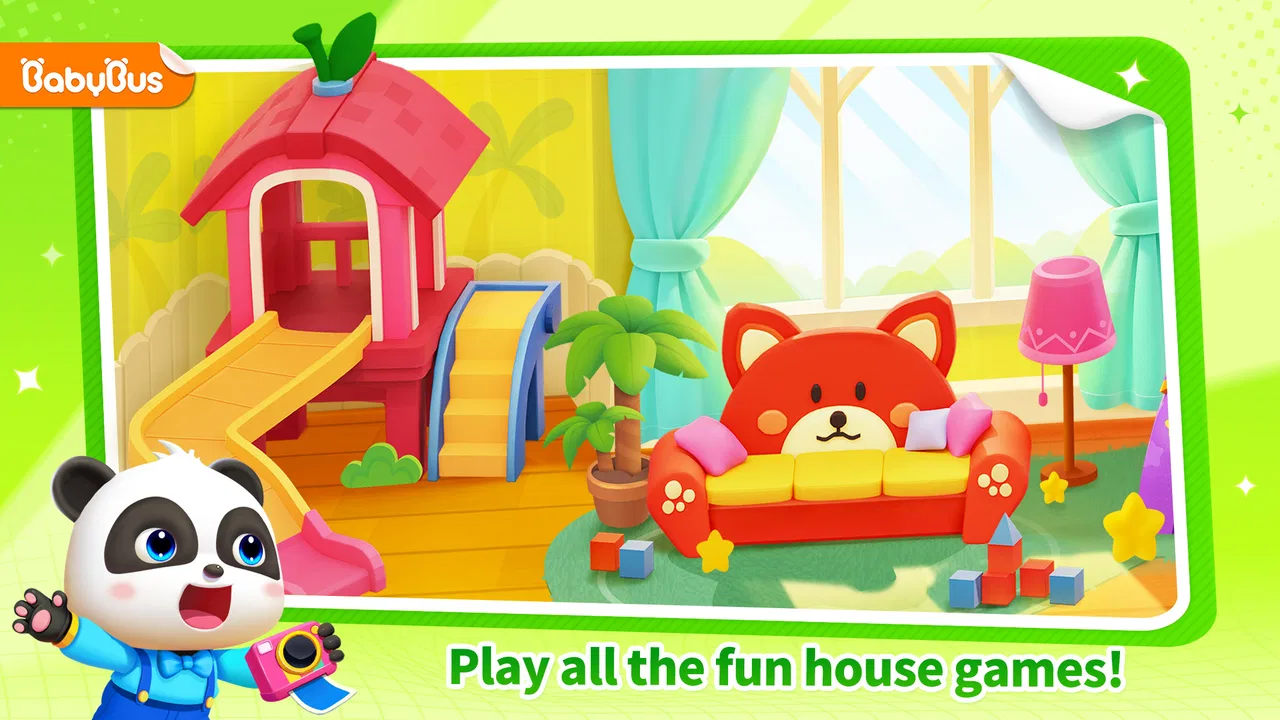
Baby Panda's House Games
- 4.2
- Rating
- 50.00M
- Installs
- Free
- Price

 Analysis by App-foxy
Baby Panda’s House Games is the kind of educational game for young children that tries to make learning feel like ordinary play. I spent time with it as a parent-oriented reviewer, paying particular attention not only to what children can do inside the house, but also to how quickly it responds, how it behaves during busy play, and whether it feels practical on an everyday phone or tablet. My overall impression is friendly and positive: it offers a gentle collection of role-play activities, driving moments, and small learning tasks rather than asking a child to follow a demanding ruleset.
The game comes from BabyBus, a developer with a large family-focused catalog, and it has reached more than 50 million installs. That popularity makes sense because the idea is immediately understandable. A child can explore a home-like setting, move between activities, and interact with familiar situations without needing to read complicated instructions. It is free to start, rated for Everyone, and sits in the educational category, although optional purchases range from $0.99 to $49.99 per item. That last point matters when an adult is deciding whether the game belongs on a shared device.
How the game feels during ordinary play
The first thing I noticed is that the experience is built around short bursts of activity. This is useful for younger children who may not stay with one task for long. Instead of treating learning as a worksheet, the game places it inside a colorful 3D world where role-play and simple interactions carry the experience. The structure makes it easy to hand the device to a child for a few minutes without expecting a long campaign or a carefully prepared lesson.
You May Also Like

 Blood Strike: 2.5 Anniversary
Blood Strike’s Loadouts Turn Every Drop Into a Tactical Gamble
A close look at Blood Strike’s custom loadouts: how fast access to signature weapons reshapes its battle royale rhythm, rewards preparation, and narrows the gap between fights.

 Pandora - Music & Podcasts
Pandora’s Music Is Easy to Start, but Harder to Recover
Pandora’s strength is its low-effort path from a seed to a station. Its weak spot is how much confidence it asks you to place in connection, setup, and quiet recovery.

 8 Ball Pool
 Is Built on Rivalries, Rematches, and Routine
A close look at the rivalries, rematches, shared routines, and unanswered safety questions that turn a quick pool match into a persistent mobile community.

 Samsung Music
’s Quiet Strength Is Playing What You Already Own
Its reach comes less from spectacle than from dependable access to a personal library. That simplicity is both the app’s strongest retention engine and its ceiling.

 AccuWeather: Weather Radar
AccuWeather Review: A Quick, Clear Forecast for Everyday Decisions
For everyday plans, the best forecast is the one you can understand quickly. AccuWeather makes rain timing, radar, and local conditions easy to act on, with a few trade-offs.

 Hill Climb Racing
Why Hill Climb Racing Still Turns Crashes Into One More Run
A tiny car, a bumpy hill and one more upgrade: Hill Climb Racing keeps resurfacing because its simple chaos makes every near-miss feel personal.
More From Our News Desk



That design also shapes the speed expectations. The game does not appear to be aiming for competitive reflex play, so a small pause while moving between areas is less disruptive than it would be in a racing or action title. During my use, I judged responsiveness by whether the child could understand the connection between a tap and the result. For this audience, that connection is more important than an extremely fast frame rate. When an action feels immediate, children can experiment; when it feels delayed, they tend to tap repeatedly or lose interest.
The 3D presentation gives the house and driving sections more presence than a flat matching game, but it naturally asks more from a device than a basic two-dimensional puzzle. On a reasonably modern phone or tablet, the visual approach feels appropriate for the target age. On older hardware, I would set expectations more carefully: the game may be less comfortable during transitions or crowded scenes, and a larger screen can make touch interaction easier for small hands.
One practical tip is to let the child explore the controls before trying to teach a particular concept. The role-play format rewards curiosity, and children often learn the interaction pattern by repeating an action rather than listening to an explanation. I found that this works better than turning every session into a formal lesson. The adult can then step in with questions such as “What happens next?” or “Which object belongs here?” without interrupting the playful rhythm.
Why the mix of activities matters
The combination of house play, car driving, and mini-games gives the title more variety than a single-purpose alphabet or number app. A child who becomes tired of one activity has another way to engage with the same world. The driving element is especially useful as a change of pace, while the educational mini-games provide more focused moments. The result is not a complete early-learning curriculum, but it can work as a light introduction to following directions, recognizing familiar objects, and practicing simple decisions.
I would not treat every activity as equally educational. Some moments are mainly about exploration and pretend play, while others invite a clearer response. That is not a weakness by itself. Young children need unstructured interaction too, and role-play can help them stay interested longer than a sequence of direct questions. The important distinction is that adults should use this as a playful supplement, not as a replacement for books, conversation, hands-on activities, or a structured learning program.
A useful home routine is to choose one small goal before opening the game. For example, an adult might ask the child to identify colors, describe what a character is doing, or explain why a particular action makes sense. This turns passive tapping into conversation. It also reveals whether the child is actually understanding the activity or simply repeating a visually rewarding action.
What happens when play becomes busy
The heaviest moments are likely to come when a child moves quickly between scenes, repeats taps, or spends time exploring the 3D environment rather than following a single mini-game. That type of use is worth considering because children rarely interact with an app as neatly as an adult reviewer does. They may press several times, return to the same area, rotate attention between driving and house activities, and leave the device idle before coming back.
In those situations, perceived performance depends on more than raw speed. A child needs clear feedback and predictable recovery. If an action takes a moment to appear, I recommend waiting briefly instead of tapping again and again. Repeated input can make any touch-based game feel confusing, particularly for a young player who assumes the first tap did not work. Teaching a child to pause after an action is a surprisingly useful habit here, and it reduces accidental selections.
The 3D scenes also mean that a device with limited available resources may feel less comfortable during longer sessions. I would close other demanding apps before handing over an older phone or tablet, especially if the device has already been running for a long time. This is not a claim that the game requires unusual hardware; it is simply sensible preparation for a visually richer children’s title. A clean start can make the experience feel more consistent and makes it easier to tell whether a problem comes from the game or the device.
Another heavy-use issue is attention rather than technology. The range of activities can encourage a child to jump around without finishing anything. I found that a short session with one chosen activity is more productive than leaving the child to wander indefinitely. If the purpose is entertainment, free exploration is fine. If the purpose is learning, an adult’s gentle structure makes the mini-games more meaningful.
Stability, interruptions, and getting back into play
Reliability matters more in a children’s app than in many adult games. A child may not understand an error message, remember where they were, or know how to recover from an unexpected interruption. My practical standard for this title is therefore simple: can a child return to an activity without needing to understand menus or account-style navigation? The straightforward, activity-based format helps, because the game is easier to re-enter than a complex adventure with a long chain of objectives.
Still, parents should be prepared for ordinary mobile interruptions. Incoming calls, switching apps, low available storage, or a device that has been under pressure can affect any 3D game. If the app stops responding, the first sensible step is to leave it and reopen it rather than repeatedly tapping the screen. On a shared family device, restarting the device and closing unused apps can also improve the next session. These are basic steps, but they are particularly helpful when the user is a child who cannot explain exactly what went wrong.
Recovery is also about emotional continuity. If a young child loses progress or returns to a starting area, an adult can turn that into a fresh activity instead of treating it as a failure. The game’s short-session design makes that easier than it would be in a long story-driven title. I would still avoid promising a child that every action will be preserved exactly as they left it. A predictable routine—open the game, choose an activity, play for a while, close it normally—reduces disappointment.
The current version is 8.73.35.41, and the game was released on July 3, 2020. Those details suggest an established product rather than a brand-new experiment, while the version number shows that it has continued through updates. I would keep the app updated through the normal store process, particularly on a child’s device, because maintenance can influence compatibility and stability. I would not, however, install it solely because of its age or version; the real question is whether the activities suit the child.
Device fit and the family trade-offs
The minimum operating system is Android 6.0, which makes the compatibility range fairly broad for Android users. That does not guarantee an identical experience on every phone or tablet. Screen size, available memory, battery condition, and the general age of the hardware can all affect comfort. For young children, I prefer a larger display when possible because small touch targets become frustrating, especially during driving or object-based interactions.
Resource demands are another reason I see a tablet as a better fit than a small phone for shared play. The 3D presentation benefits from extra screen space, and a tablet can be easier for an adult and child to view together. The trade-off is portability: a phone is convenient for a short waiting-room session, while a tablet is more suitable for supervised play at home. In either case, I would check the battery before a trip and avoid relying on the game as the only planned activity.
Because the game is free, it is easy to try without an upfront purchase. The important family consideration is the presence of in-app purchases, with individual items priced from $0.99 to $49.99. I recommend setting purchase protections before giving the device to a child. This is not specific to one kind of family or one device; young children can tap through screens without understanding that a real transaction may follow. A parent who wants a completely purchase-free environment should review the device’s controls first or choose a different app with a model that better matches that preference.
The Everyone content rating makes the game broadly appropriate from an age-classification perspective, but that should not be confused with “no supervision needed.” Supervision is useful for two reasons: it helps the child learn from the mini-games, and it lets the adult notice whether the child is becoming frustrated, overstimulated, or simply tapping without purpose. The title works best when it is part of a balanced routine rather than an unlimited background activity.
Where it beats familiar alternatives—and where it does not
Compared with a traditional educational worksheet app, Baby Panda’s House Games feels more inviting for a child who learns through movement and pretend situations. The 3D house and car activities provide context, so the child is not only answering isolated prompts. Compared with a pure digital toy, the mini-games give adults more opportunities to discuss choices and encourage basic reasoning. That middle ground is the game’s strongest position.
It is less suitable than a focused early-learning app when a parent wants a clear sequence for letter formation, phonics, counting practice, or measurable skill progression. It also cannot replace a physical toy set when the goal is fine-motor practice away from a screen. A book remains better for shared storytelling and language development, while outdoor play offers movement that a driving activity cannot provide. I see this game as a convenient bridge between entertainment and light learning, not as the best tool for every educational goal.
The role-play approach is particularly useful for a child who resists direct instruction. A parent can join the play and ask the child to narrate what is happening, predict the next step, or compare objects. That kind of conversation is the non-obvious advantage: the app can become a prompt for language and observation rather than a silent stream of rewards. On the other hand, a child who needs firm structure may do better with a more linear program that clearly announces each task and limits wandering.
Another trade-off is repetition. Repeating familiar activities can help a young child gain confidence, but an older child may quickly find the interaction too simple. The broad Everyone rating makes the game accessible, yet it does not mean the same depth will suit every age within that label. I would introduce it to younger children for exploration and use it with older preschoolers only if they still enjoy the pretend-play layer.
My practical verdict on speed and dependability
After considering the game as a daily family app rather than just a colorful download, I think its performance profile is sensible for its purpose. It is not built around demanding competitive timing, so the key question is whether interactions remain understandable and comfortable. The 3D design may ask more of older devices than a flat educational activity, but the game’s short, self-contained sessions make it easier to manage than a large, continuous adventure.
My advice is to test it first on the actual device your child will use. Open several activities, move between the house and driving sections, and watch whether touch responses feel consistent. Try it after closing other apps, then try it during normal family use. This quick check answers more than a generic hardware label because two devices with the same operating-system support can still feel very different in everyday use.
With an average rating of 4.3 from around 59 thousand ratings, it has clearly found a substantial audience, and the store also shows 235 reviews. I treat those figures as a sign of broad appeal rather than a guarantee that every child will enjoy it. The strongest evidence will be your child’s reaction: do they explore with purpose, talk about what they see, and return willingly without becoming upset by the controls?
My recommendation is to try it for supervised, short sessions if you want a free educational game that combines role-play, driving, and simple learning activities. I would choose something more focused for formal skill practice, something more robust for older children, and a non-screen alternative when the aim is physical or social play. For families who understand those limits and protect in-app purchases, Baby Panda’s House Games is an approachable addition to a child’s digital play shelf, with enough variety to stay useful without pretending to be a complete learning system.
In the end, its value comes from how an adult uses it. Leave a child alone with it for unlimited wandering and the educational benefit may be modest. Sit nearby, let the child lead, and turn the house, car, and mini-games into conversation starters, and the experience becomes much richer. That balance—easy access, gentle learning, and sensible supervision—is where this particular BabyBus game makes the most convincing case for itself.
FAQs for Baby Panda's House Games
01What is Baby Panda's House Games about?
Baby Panda's House Games is an engaging educational app designed for young children. It offers a variety of mini-games that help develop cognitive skills, problem-solving abilities, and creativity. The app features colorful graphics and interactive gameplay, making learning fun and accessible for preschoolers. It's ideal for parents seeking a safe digital environment for their kids.
02Is Baby Panda's House Games safe for children?
Yes, Baby Panda's House Games is designed with children's safety in mind. It contains no inappropriate content or ads that could be harmful. The app also features parental controls, allowing parents to monitor usage and ensure that their child’s experience remains safe and enjoyable. It’s a trusted choice for many families.
03What devices are compatible with Baby Panda's House Games?
Baby Panda's House Games is available for both Android and iOS devices. Users can download it from the Google Play Store or Apple App Store. The app runs smoothly on most smartphones and tablets, providing a seamless experience across various devices. Ensure your device meets the minimum system requirements for optimal performance.
04Are there any in-app purchases in Baby Panda's House Games?
While Baby Panda's House Games is free to download, it may offer in-app purchases. These purchases can unlock additional content and features, enhancing the gameplay experience. Parents can disable in-app purchases through device settings if they wish to avoid accidental purchases by their children.
05How can Baby Panda's House Games benefit my child’s development?
Baby Panda's House Games supports early childhood development by fostering skills such as hand-eye coordination, memory, and logical thinking. The app’s interactive nature encourages children to explore, learn, and solve problems independently, which can contribute positively to their educational growth and curiosity.
Pros
- Engaging educational activities for kids.
- Bright
- colorful graphics capture attention.
- Variety of mini-games keep it interesting.
- Simple controls easy for young children.
- Regular updates with new content.
Cons
- In-app purchases can add up quickly.
- Some games may be too repetitive.
- Requires internet for full functionality.
- Ads can interrupt gameplay experience.
- Limited language options available.

Baby Panda's House Games
Gallery